OpenSheets
An MIT-licensed spreadsheet component for React, with a built-in formula evaluator and an optional collaboration relay.
npm install opensheets
Releases are published to npm from GitHub releases, with npm provenance linking each version to its commit.
The live demo is a shared playground. Anyone can open it and edit, and it resets every night, so nothing you put there will last.
What it does
The core package, with no optional entries installed.
-
Grid
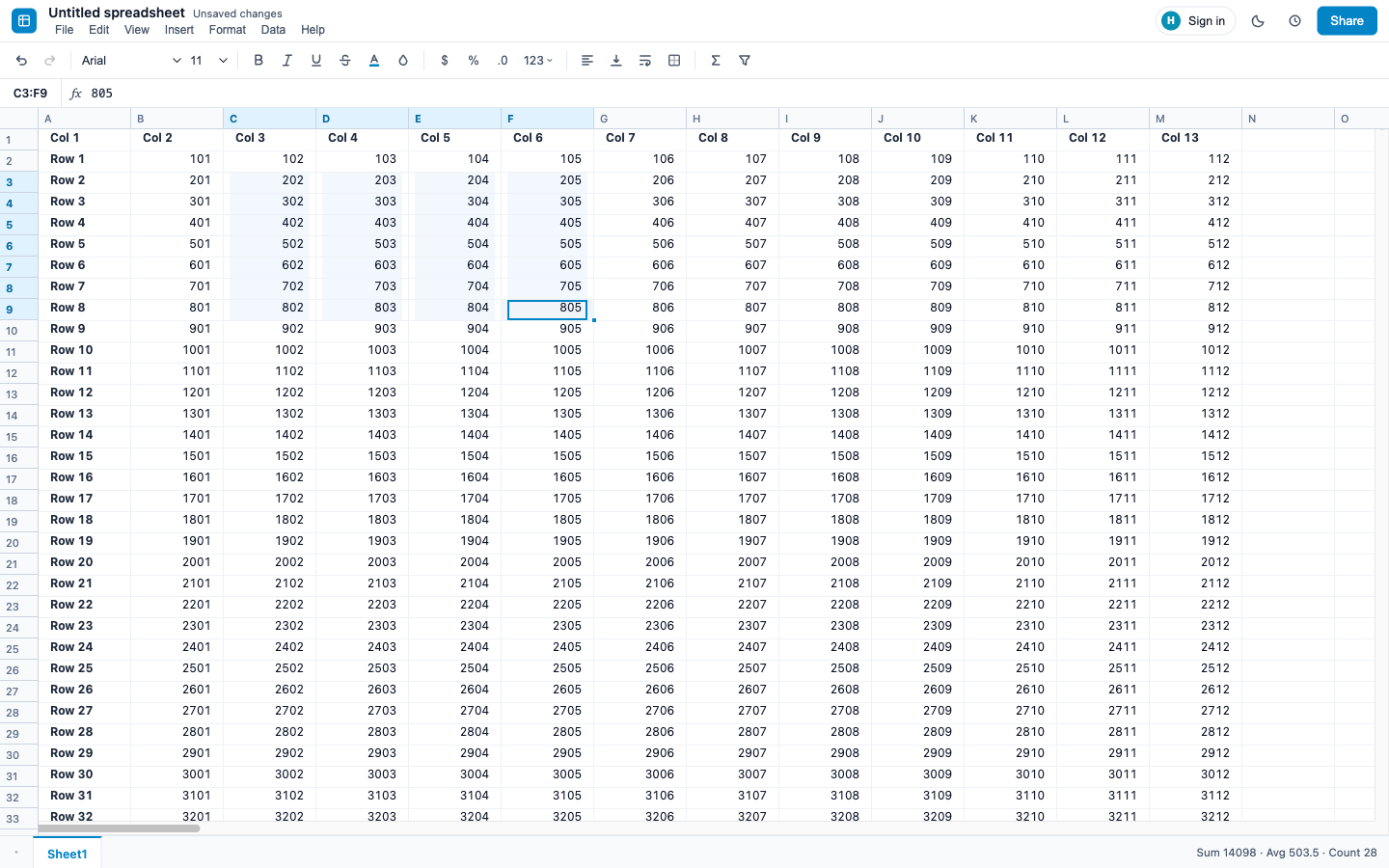
Rows and columns are virtualized, so large sheets stay responsive. Frozen rows and columns, merged cells, column and row resizing, and insert or delete of rows and columns with formula references updated.
-
Editing
Edit in the cell or in the formula bar. Keyboard navigation, multi-range selection, copy and paste, a fill handle for copies and series, sort, and document-scoped undo and redo.
-
Formulas
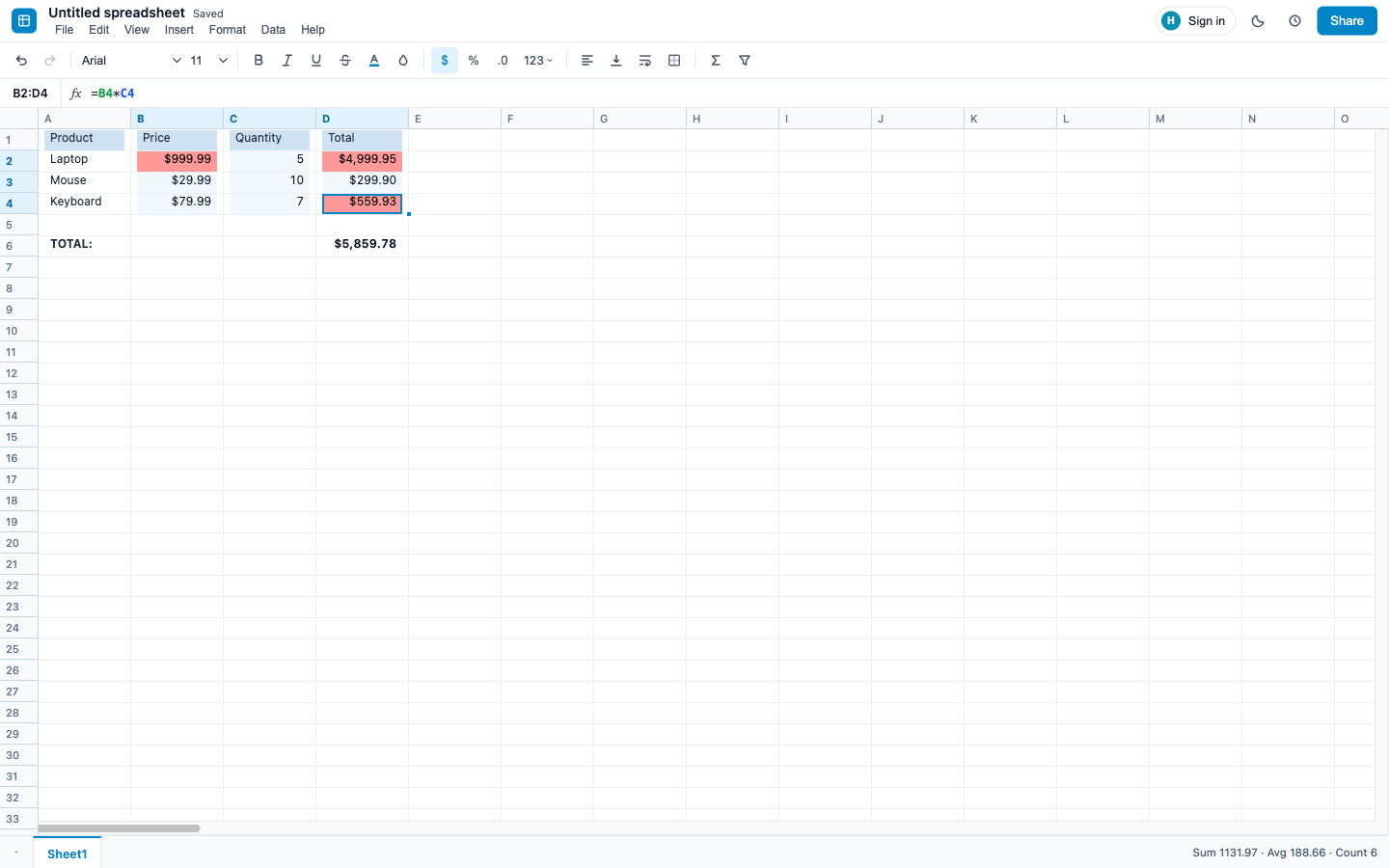
A built-in evaluator with cell references, ranges, absolute references and cross-sheet references, and a fixed set of functions: SUM, AVERAGE, COUNT, MIN, MAX, IF, AND, OR, text functions such as LEN, UPPER, LEFT and MID, and the date functions TODAY and NOW, among others. Formulas recalculate live, including across sheets.
-
Formatting
Fonts, bold, italic, underline, strikethrough, text and fill colours, alignment, wrapping and borders. Number formats such as currency, percent and dates, plus conditional formatting rules and templates.
-
Data
Per-column filters and sorting, data validation with dropdowns, comments with replies, find and replace, and bar, line and pie charts rendered as SVG.
-
Files
CSV import and export out of the box. XLSX import and export through the optional SheetJS entry,
opensheets/excel. -
Persistence
A localStorage adapter with version history is included. Anything that implements the
PersistenceAdapterinterface can take its place. -
Theming
Every colour is a CSS custom property, with light and dark themes included. This page uses the same tokens.
-
Accessibility
The grid uses ARIA grid semantics and can be operated entirely from the keyboard.
Collaboration
The relay ships in the package as opensheets/server. On the client, one hook connects a spreadsheet to it; on the server, you mount the relay in your own Node HTTP server.
opensheets/server: WebSocket relay, presence, accounts
- WebSocket relay
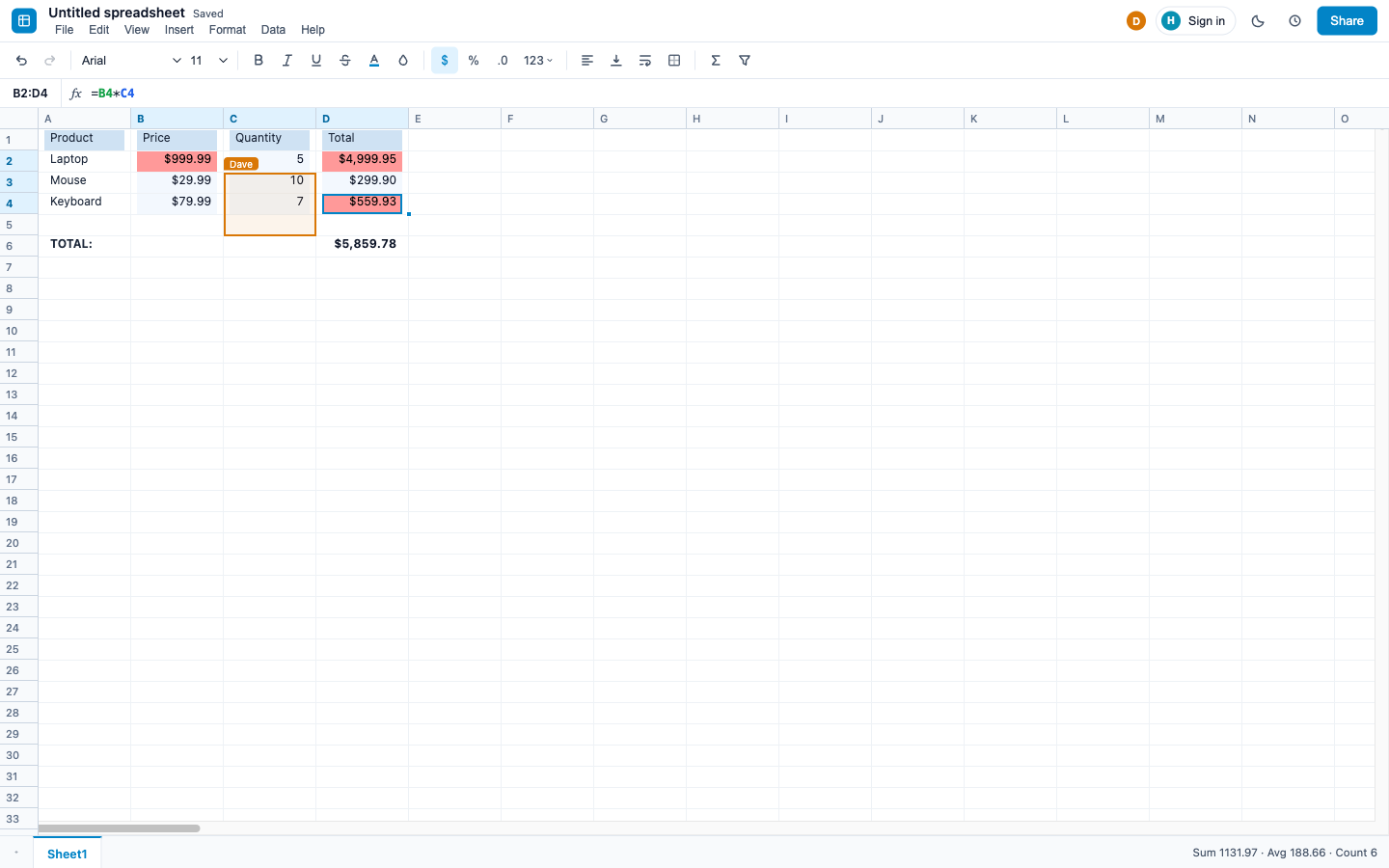
- Cell edits and selections travel through a WebSocket relay; every connected tab sees them.
- Accounts
- People can create an account and sign in. Without one, a tab collaborates as a guest.
- Presence per person
- Presence is tracked per person, not per tab, so a second tab does not show up as a second collaborator.
- Protected ranges
- A range can be protected so that other collaborators do not edit it.
- Offline queue
- Edits made while disconnected are queued; the client reconnects on its own and sends them.
- Last-write-wins merge
- Concurrent edits to the same cell merge last-write-wins, so every client ends up with the same sheet.
- Several instances
- One instance keeps its state in memory. To run several, point them at one Redis; any instance can then serve any client.
The relay checks the origin of connections, rate-limits connections, messages and sign-in, caps sizes, and enforces protected-range ownership. What it does not do is decide who may open which sheet: every connected client can read and write every sheet unless you supply an authorize hook. The security policy has the details.
Use it in your app
Install the package, import the two stylesheets once, and wrap the grid in a provider.
import { SpreadsheetProvider, SpreadsheetGrid, FormulaBar, FormattingToolbar } from 'opensheets';
import 'opensheets/styles.css';
import 'opensheets/styles/tokens.css';

export function Sheet() {
  return (
    <SpreadsheetProvider spreadsheetId="quarterly" persistence="local">
      <FormattingToolbar />
      <FormulaBar />
      <SpreadsheetGrid />
    </SpreadsheetProvider>
  );
}opensheets/exceladds XLSX import and export. It needs thexlsxpeer dependency (SheetJS).opensheets/hyperformulaswaps in a formula engine backed by HyperFormula, which is GPL-3.0-only. It is opt in; the core does not need it.opensheets/serveris the collaboration relay. It needsws, andredisif you run several instances.
How it is built
- MIT licence. The optional HyperFormula entry is the only part with a different licence, and it is kept out of the core.
- One runtime dependency, for row and column virtualization. React is a peer dependency.
- ESM and CommonJS builds, with TypeScript types.
- Releases come only from CI. A GitHub release triggers the publish, with npm provenance linking the tarball to the commit and workflow run.
- Pinned dependencies through a committed lockfile, and dependency install scripts never run.
- Tests run on every push to the main branch and on every pull request, along with type checking and lint.
The dependency and release policy is written down in docs/SUPPLY-CHAIN.md.